Most AI sticker packs turn you into a cartoon, a chibi character or a Pixar-style avatar. This one doesn't. The prompt on this page keeps your actual photographic likeness — real skin texture, real proportions, a real cut-out photo look — while still giving you 16 expressive, caption-ready stickers on one sheet. If you want stickers that genuinely look like you and not an illustrated version of you, this is the prompt to use.
Below is the exact prompt I used to generate the example sheet on this page, run on my own reference photo. Copy it, swap in your own photo, and you'll have a full realistic sticker pack in about a minute.
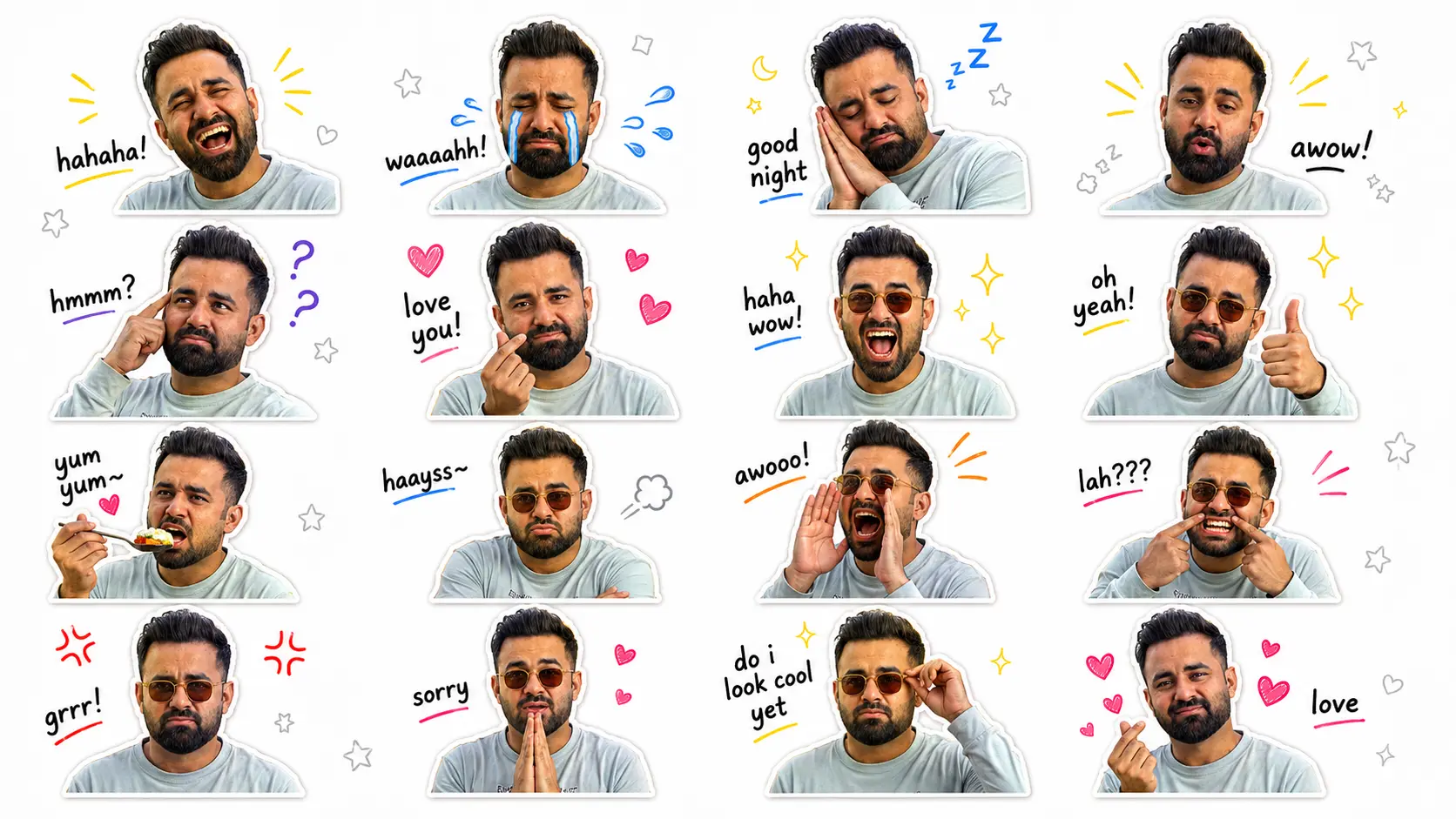
One reference photo in, one full 16-sticker realistic pack out — this is the actual result from the prompt below.
Table of Contents
- What Is a Realistic AI Sticker Pack?
- Why People Create Personalized Sticker Packs
- What Makes This Prompt Different
- What You'll Need
- Best Photo Tips
- How to Use This Prompt
- Copy & Paste Prompt
- A Closer Look at the Stickers
- Tips for Getting the Best Results
- Common Mistakes to Avoid
- Compatible AI Image Generators
- Where You Can Use Your Sticker Pack
- Frequently Asked Questions
- Final Thoughts
What Is a Realistic AI Sticker Pack?
A realistic AI sticker pack is a set of expressive, die-cut stickers generated from one reference photo — except unlike a chibi or 3D cartoon pack, every sticker still looks like an actual photograph of you. The AI analyzes your facial features, hairstyle, skin tone and clothing, then produces multiple "cut-out photo" style stickers showing different reactions, each with a thick white border, a soft drop shadow and a handwritten caption.
It's the same idea behind our chibi sticker pack prompt and 3D cartoon sticker prompt, just aimed at a completely different look — this one trades the illustrated, Pixar-style finish for something that reads as an edited photo, closer to what a professional retoucher would cut out and caption by hand.
Why People Create Personalized Sticker Packs
Personalized sticker packs have become one of the most shared AI image trends because they turn a single selfie into something people actually use every day — in chats, not just a feed post. A few reasons they've caught on:
- They replace generic emoji with reactions that are actually you
- They're instantly recognizable to friends and family in group chats
- Content creators use them as reusable reaction assets for comments and stories
- Small brands reuse the individual cut-outs as a consistent "face" across social posts
- They're genuinely fun to make and cost nothing beyond an AI generator
What Makes This Prompt Different
Photo-Realistic, Not Cartoon
Explicit negative prompts rule out cartoon, anime and chibi results, so the output stays a true likeness.
16 Expressions, One Sheet
A single 1920×1080 sheet in a clean 4×4 grid — laughing, crying, angry, cool, sleepy and more.
Identity-Locked
Face shape, hairline, beard, skin tone and outfit are all listed as "preserve exactly," with beautifying explicitly disallowed.
Caption & Doodle Ready
Every sticker already includes a handwritten-style caption and hand-drawn doodle accents — no extra design step.
What You'll Need
Before generating your stickers, prepare:
- A clear portrait photo
- Good, even lighting
- Your face fully visible
- A high-resolution image
- A neutral background (recommended)
- One AI image generator that supports image references
Best Photo Tips
For the most consistent resemblance across all 16 stickers:
- Face the camera naturally
- Avoid sunglasses or face coverings in your reference photo
- Use soft daylight or good indoor lighting
- Keep your hairstyle and beard (if any) clearly visible
- Wear the outfit you want repeated across the sheet
- Upload the highest-quality photo possible
How to Use This Prompt
- Open your favorite AI image generator.
- Upload one clear photo of yourself (or more, if supported).
- Copy the prompt below exactly as written.
- Paste it into the prompt box.
- Generate the image.
The AI will analyze your uploaded photo and build a complete 4×4 sticker sheet while keeping the photographic, non-cartoon look intact.
Copy & Paste Prompt
Upload your own photo to a compatible AI image generator, then paste the prompt below exactly as written — do not shorten, reword or reformat it, since every section is written to lock in your identity and keep the result photo-realistic.
Use the uploaded photo as the only facial reference for the character. Carefully analyze the person's facial features, hairstyle, hair color, beard or mustache (if present), eyebrows, eye shape, nose, lips, jawline, skin tone, facial proportions, clothing style, accessories, and overall personality. Unlike cartoon or Chibi stickers, transform the uploaded person into a realistic high-quality sticker pack while preserving their exact identity. Every sticker should look like a professionally edited cut-out photo with expressive emotions and poses, suitable for WhatsApp, Telegram, LINE, iMessage, Instagram, Messenger, Discord, and social media. The final output should be one single horizontal 16:9 sticker sheet (1920 x 1080 px) containing 16 premium die-cut realistic stickers arranged in a 4 x 4 grid with equal spacing and perfect alignment. Identity Preservation (Highest Priority) Preserve exactly: Facial identity Face shape Hairline Hairstyle Hair color Hair texture Skin tone Eye shape Eye color Eyebrows Nose Lips Smile Beard or mustache (if present) Clothing Accessories Body proportions The generated person must immediately look like the uploaded individual. Never replace the face. Never beautify beyond natural appearance. Style Create: Ultra realistic Professional cut-out portrait stickers Studio-quality editing Premium WhatsApp sticker pack White die-cut border Soft drop shadow Clean transparent-style appearance Vibrant colors Natural skin texture DSLR quality Commercial sticker pack quality No cartoon. No anime. No Chibi. No illustration. Canvas Canvas Size: 1920 x 1080 px Aspect Ratio: 16:9 Layout Arrange: 4 Columns 4 Rows Equal spacing Equal margins Perfect alignment No overlapping Plenty of breathing space Each sticker should have identical sizing. Background Minimal clean background: White Very light gray Soft beige Include tiny hand-drawn doodles: Hearts Stars Sparkles Motion lines Question marks Tiny comic accents Background should never distract from stickers. Sticker Design Every sticker should include: Thick white die-cut outline Soft realistic shadow Glossy laminated appearance Rounded edges Premium sticker finish Crisp cut-out Commercial quality Create These 16 Stickers Sticker 1 — Hahaha 😂 Pose: Laughing loudly Eyes nearly closed Wide smile Caption: hahaha! Decorations: Yellow comic lines Sticker 2 — Crying 😭 Pose: Crying dramatically Large cartoon tears Sad mouth Caption: waaaah! Decorations: Blue tears Sticker 3 — Good Night 😴 Pose: Hands together under cheek Sleeping Eyes closed Caption: good night Decorations: Zzz Stars Moon Sticker 4 — Wow 😮 Pose: Big surprised face Rounded mouth Wide eyes Caption: awow! Decorations: Yellow motion lines Sticker 5 — Thinking 🤔 Pose: Finger touching temple Looking upward Caption: hmmm? Decorations: Purple question marks Sticker 6 — Love You ❤️ Pose: Finger heart gesture Cute smile Caption: love you! Decorations: Pink hearts Sticker 7 — Haha Wow 😆 Pose: Laughing with sunglasses Open mouth Caption: haha wow! Decorations: Sparkles Stars Sticker 8 — Oh Yeah 👍 Pose: Thumbs up Confident smile Caption: oh yeah! Decorations: Golden sparkles Sticker 9 — Yum Yum 🍜 Pose: Eating favorite food Happy face Caption: yum yum~ Decorations: Hearts Food sparkles Sticker 10 — Sigh 😮💨 Pose: Crossed arms Pouting Small steam cloud Caption: haayss~ Decorations: Tiny cloud Sticker 11 — Calling 📣 Pose: Hands around mouth Shouting Caption: awooo! Decorations: Comic sound lines Sticker 12 — Seriously? 😬 Pose: Pulling cheeks Funny face Caption: lah??? Decorations: Pink motion lines Sticker 13 — Angry 😡 Pose: Arms crossed Serious expression Caption: grrr! Decorations: Red anger icons Sticker 14 — Sorry 🙏 Pose: Hands together Cute apology Caption: sorry Decorations: Tiny hearts Sticker 15 — Looking Cool 😎 Pose: Adjusting sunglasses Confident expression Caption: do i look cool yet Decorations: Golden sparkles Sticker 16 — Finger Heart 🫶 Pose: Finger heart Soft smile Caption: love Decorations: Pink hearts Typography Use: Handwritten comic-style font Bold black lettering White outline around text Playful placement Perfect spelling Consistent size Decorative Elements Scatter throughout the sheet: Hearts Sparkles Stars Motion lines Comic doodles Question marks Sound effects Emoji accents Tiny clouds Zzz icons Cartoon tears Red anger symbols Camera Quality Generate as if photographed using: Sony A7R V 85mm f/1.4 GM Studio lighting Eye autofocus HDR Ultra sharp Professional portrait photography Image Quality Generate in: Ultra HD 8K Hyper-realistic DSLR quality Print-ready Sticker-shop quality Crisp edges Perfect skin texture Accurate facial resemblance High dynamic range Social-media ready Negative Prompt Do NOT: Change facial identity Change hairstyle Change beard or mustache Change skin tone Change clothing color Add extra fingers Add extra hands Add extra limbs Blur the face Distort facial proportions Repeat poses Repeat expressions Crop stickers Overlap stickers Add logos Add watermarks Misspell captions Create cartoon or anime versions Produce low-resolution images Use cluttered backgrounds Goal Generate a premium commercial-quality 16-piece realistic expression sticker pack from the uploaded photo. Every sticker should preserve the person's exact identity while showing a unique everyday emotion, reaction, or expression. The final result should resemble an official WhatsApp, Telegram, LINE, Discord, iMessage, or Instagram sticker pack, featuring clean die-cut borders, handwritten captions, expressive poses, and a polished 1920 x 1080 (16:9) layout suitable for both digital messaging and printing.
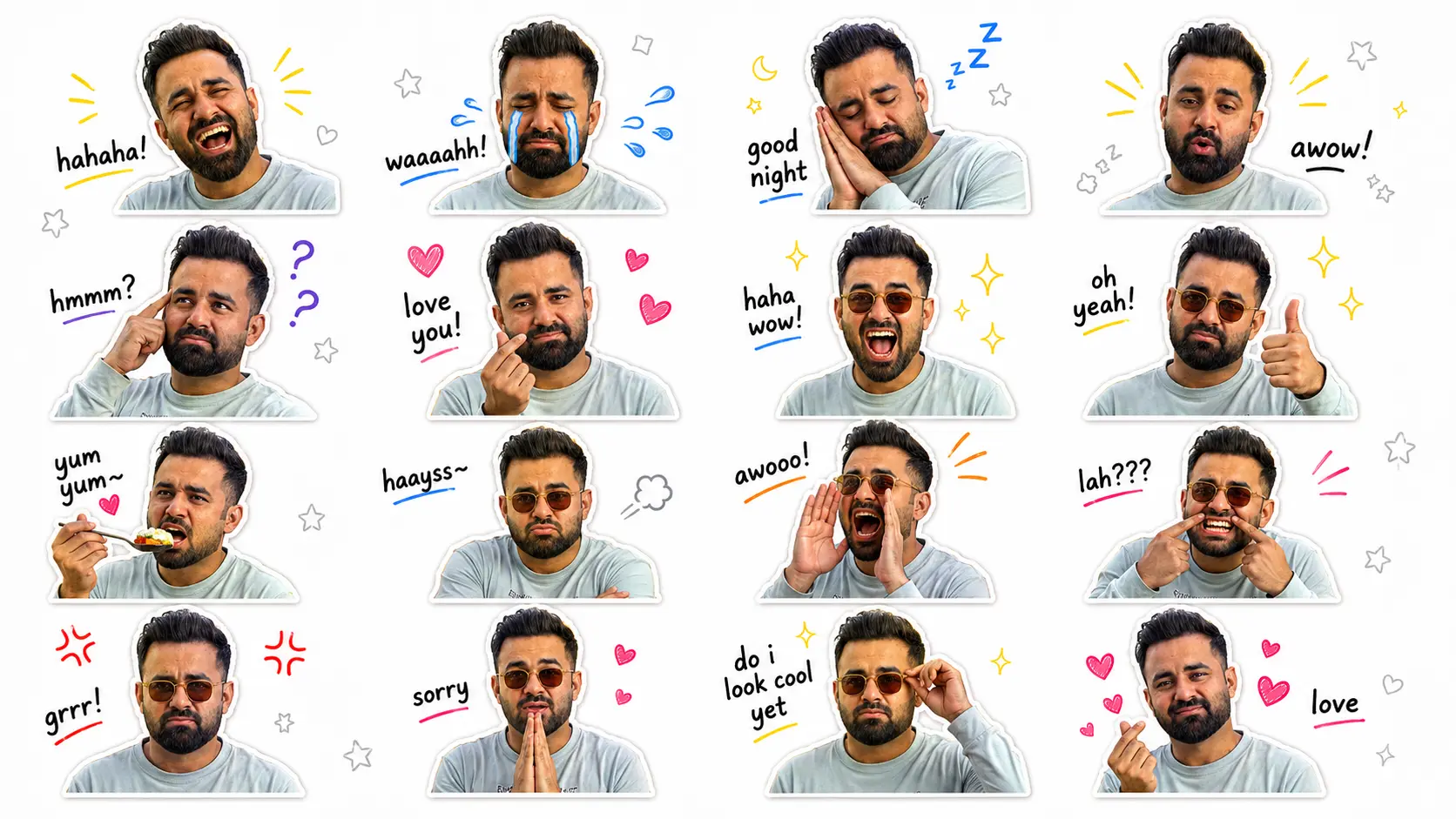
The finished 16-sticker sheet, generated from the reference photo above using the prompt exactly as written.
A Closer Look at the Stickers
Because every sticker keeps its photo-realistic detail, individual stickers hold up well even when cropped out and viewed at full size — here are three from the sheet above.
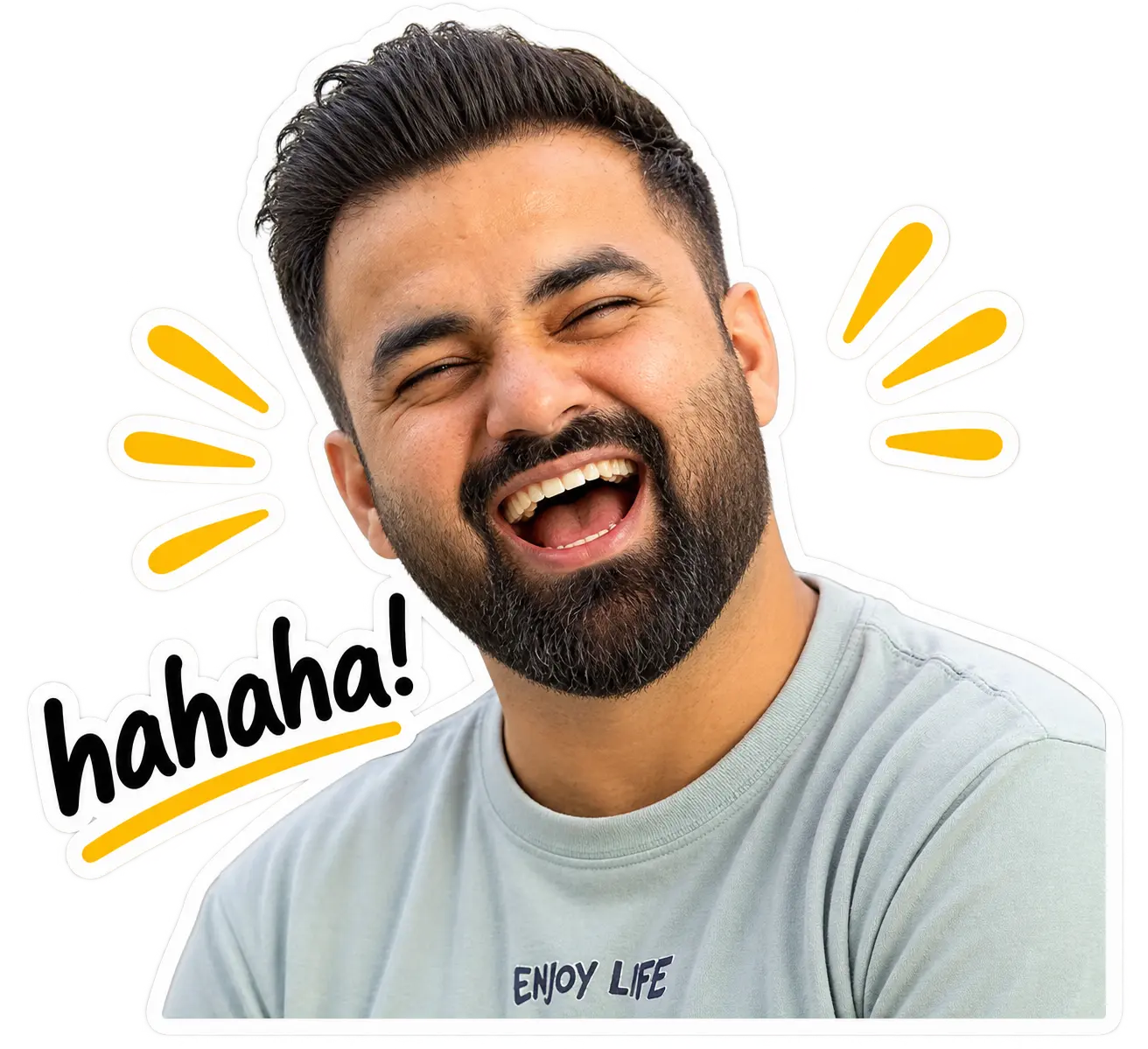
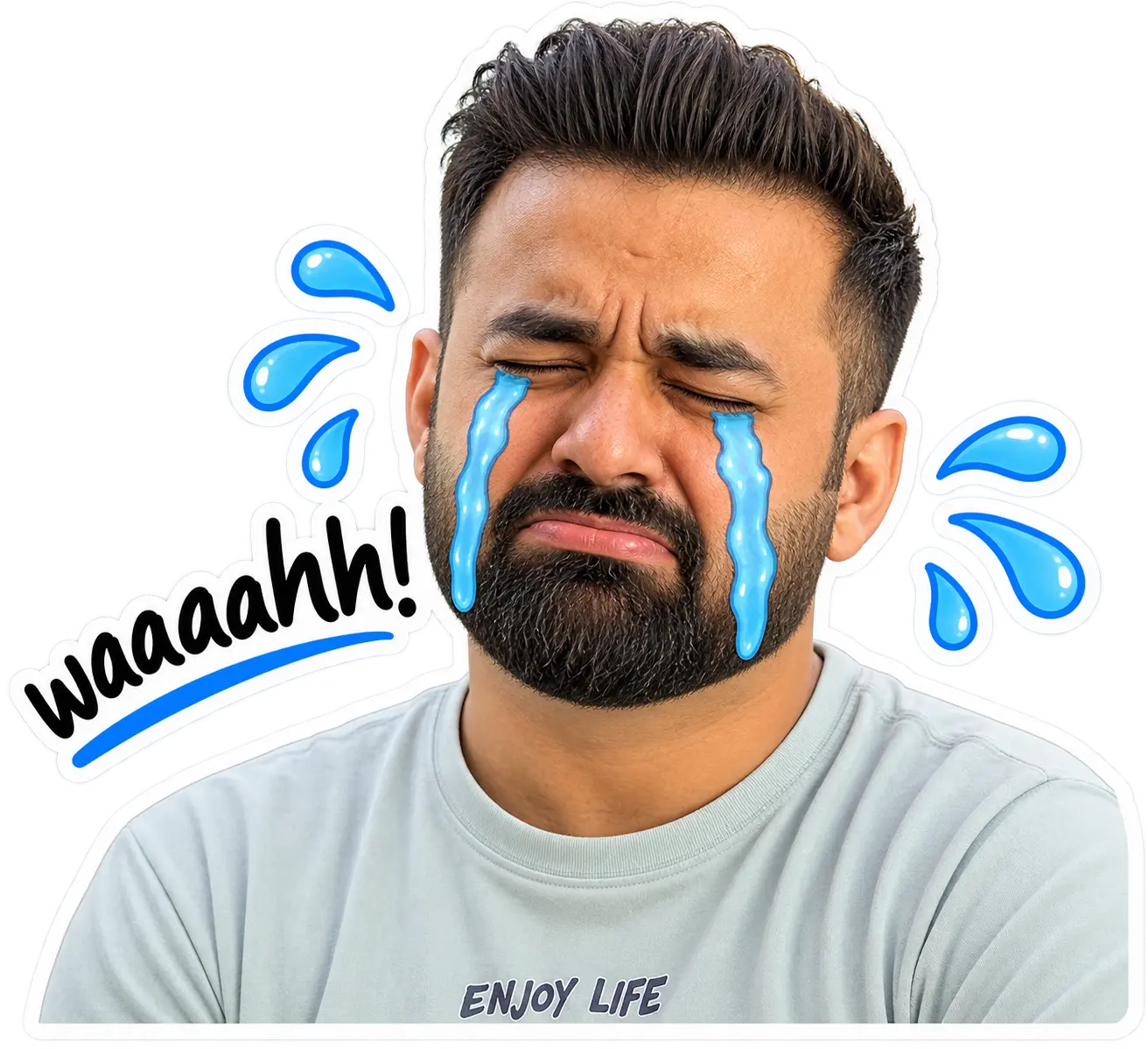
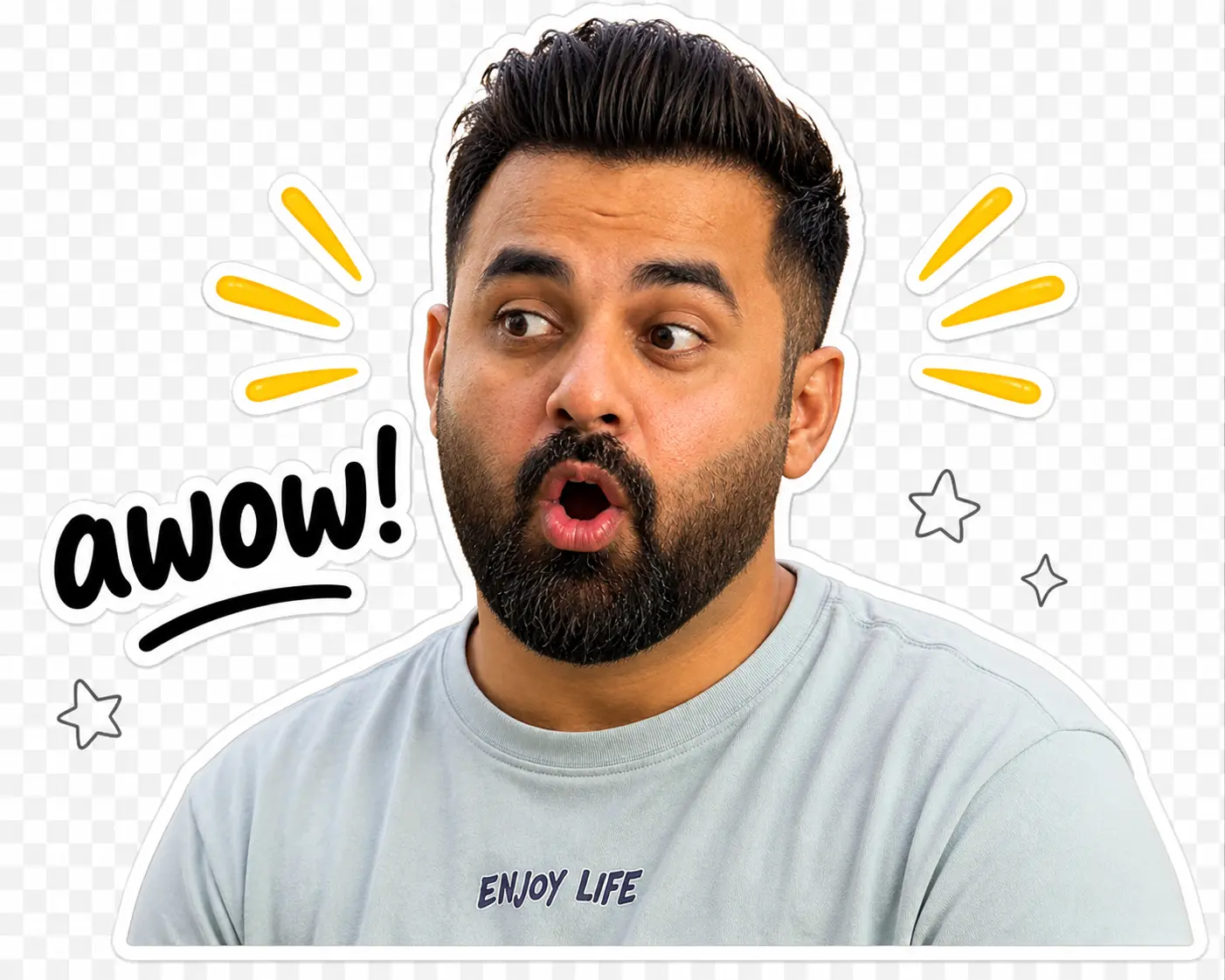
Cropped straight from the sheet — no extra retouching, just the prompt's output.
Tips for Getting the Best Results
If your AI generator supports multiple reference images, upload two to four photos showing different angles:
Front-Facing Portrait
Your main reference — clear, well-lit, face fully visible.
Side Profile
Helps the AI understand your face shape from another angle.
Smiling Photo
Gives the AI a natural reference for your smile characteristics.
Neutral Expression
A resting-face shot balances out the smiling reference.
This combination helps the AI hold your resemblance more accurately across all 16 stickers, instead of relying on a single angle for every pose.
Common Mistakes to Avoid
- Uploading a low-resolution, blurry or heavily filtered photo as the reference
- Editing the prompt's wording instead of only swapping the caption/expression lists
- Using a photo where sunglasses or a face mask hides key features
- Expecting a perfect result on the first try — regenerate instead of settling
- Uploading someone else's photo without their permission
- Forgetting to crop individual stickers before uploading to apps that don't accept the full sheet
Compatible AI Image Generators
This prompt is written for any AI image generator that can edit or reimagine an uploaded reference photo. A few that work well:
ChatGPT (Image Generation)
Strong at following the prompt's long, structured instructions exactly, including captions and layout.
Google Gemini
Solid at holding facial identity across multiple poses on the same sheet.
Ideogram
Particularly good at rendering the handwritten-style captions cleanly.
Flux-Based Tools
Available through several platforms, useful for realistic texture and lighting.
Any other modern generator that accepts an uploaded photo and supports detailed prompts is worth trying too — results vary by model, so don't hesitate to test more than one.
Where You Can Use Your Sticker Pack
Once generated, you can use your stickers almost anywhere:
- Telegram
- Facebook Messenger
- Discord
- Slack
- iMessage
- Twitch
- YouTube branding
- Printable sticker sheets
- Digital planners & Notion
- Personal branding
Want More AI Content Tricks Like This?
At AK Studios by Asfar Khan, we build AI-assisted content, prompts and creative workflows into our photography, video and social media work for clients across Islamabad, Rawalpindi and Pakistan. If you'd rather have us handle your brand's content strategy, we're happy to talk.
Talk to UsFrequently Asked Questions
What is a realistic AI sticker pack, and how is it different from cartoon or chibi stickers?
A realistic AI sticker pack keeps your actual photographic likeness — real skin texture, real proportions, real facial detail — rather than turning you into a 3D cartoon or chibi character. Each sticker looks like a professionally cut-out photo of you reacting to something, not an illustrated avatar.
Can I use any photo for this prompt?
Yes, but a clear, well-lit, front-facing photo with your full face visible gives the AI the most detail to work with, so your identity holds up consistently across all 16 stickers.
Which AI image generators work best for this realistic sticker prompt?
Any generator that supports photo-realistic image editing from an uploaded reference works well, including ChatGPT's image generation, Google Gemini, Ideogram and Flux-based tools. Results vary slightly by model, so it's worth trying more than one if your first result isn't strong.
Will the stickers actually look like me, or will the AI change my face?
The prompt is written to lock in your identity — face shape, skin tone, hairline, beard and clothing are all listed as "preserve exactly," with an explicit instruction never to replace or beautify the face. Results still vary by AI model, so regenerate if one sticker drifts.
Can I change the captions or expressions in the prompt?
Yes. Edit any of the 16 sticker blocks — swap the caption, pose or decorations for whatever emotion you want, and keep the rest of the prompt exactly as written.
Can I make a sticker pack for a friend, partner or family member?
Yes, just upload their photo instead of yours (with their permission) and run the same prompt exactly as written.
Do I need Photoshop or design skills to use this prompt?
No. The AI generator produces the fully laid-out 4×4 sheet with die-cut borders, captions and doodles included — you only need to crop individual stickers afterward if a specific app requires single images.
Is this prompt free to use?
Yes, the full prompt on this page is free to copy and use. You only need access to an AI image generator that accepts an uploaded reference photo.
How many stickers does this prompt generate?
16 individual die-cut stickers on one 1920×1080 sheet, arranged in a 4×4 grid, each with a different expression, caption and decorative doodle.
Can I upload more than one reference photo for better accuracy?
Yes, if your generator supports multiple reference images. A front-facing shot plus a smiling and neutral-expression photo helps the AI hold your resemblance more consistently across all 16 poses.
Where can I use my finished realistic sticker pack?
WhatsApp, Telegram, iMessage, Instagram, Facebook Messenger, Discord, Slack, Twitch, printable sticker sheets and personal branding all work with the same sheet.
Can I print the sticker sheet?
Yes. The prompt specifically asks for 8K, print-ready, sticker-shop-quality output with crisp die-cut edges, so the sheet holds up on a home or commercial printer.
What if a sticker looks distorted or doesn't resemble me?
Regenerate it. AI output varies from attempt to attempt, and a second or third generation usually fixes a distorted hand, an off expression or a resemblance issue without changing the prompt itself.
Does this prompt work for people who wear glasses, a hijab, or have a beard?
Yes. The prompt explicitly lists beard/mustache, accessories and clothing as details to preserve exactly, so glasses, headscarves and facial hair should carry through to every sticker.
Can I use this for a personal brand or business mascot instead of stickers?
Absolutely. Because every sticker stays photo-realistic and on-brand, creators and small businesses often reuse the individual cut-outs as social media reaction assets or a consistent face-of-the-brand look across posts.
Final Thoughts
If you've tried a chibi or cartoon sticker prompt before and wanted something that actually looked like you, this is the version built for that. With one photo and the prompt above, you get a full 16-expression sheet that reads as an edited photo, not an illustration.
Whether you're making stickers for messaging apps, social content, or a consistent personal-brand look, this prompt gives you a professional, print-ready starting point — the exact process used to make the sheet on this page.